
Skip to content
MailYVO

Welcome a new Shopify email subscriber

A welcome email sets expectations at the moment a visitor asks to hear from your store. It should explain what they signed up for and offer one useful next step. MailYVO connects the email to a consented subscriber event, including contacts collected through Capture.

Start free on Shopify

Write the promise you can keep

Thank the subscriber, explain the type of updates you send and introduce a relevant product or collection. Include an offer only if it has been configured and can be redeemed. Avoid pretending a welcome message is a personal conversation when it is automated.

Connect the template to the trigger

Create a welcome newsletter, check its sender and footer, then choose the Welcome subscriber automation. Select the email, set the delay and enable the flow. Check that a consented test signup produces an enrollment after Shopify synchronization.

Respect changes after signup

A subscriber can withdraw consent before the scheduled email. MailYVO checks consent, eligibility and suppressions again at send time. Duplicate Shopify events should not create duplicate enrollments. Use the activity panel to inspect failures and cancellations rather than signing up the same address repeatedly.
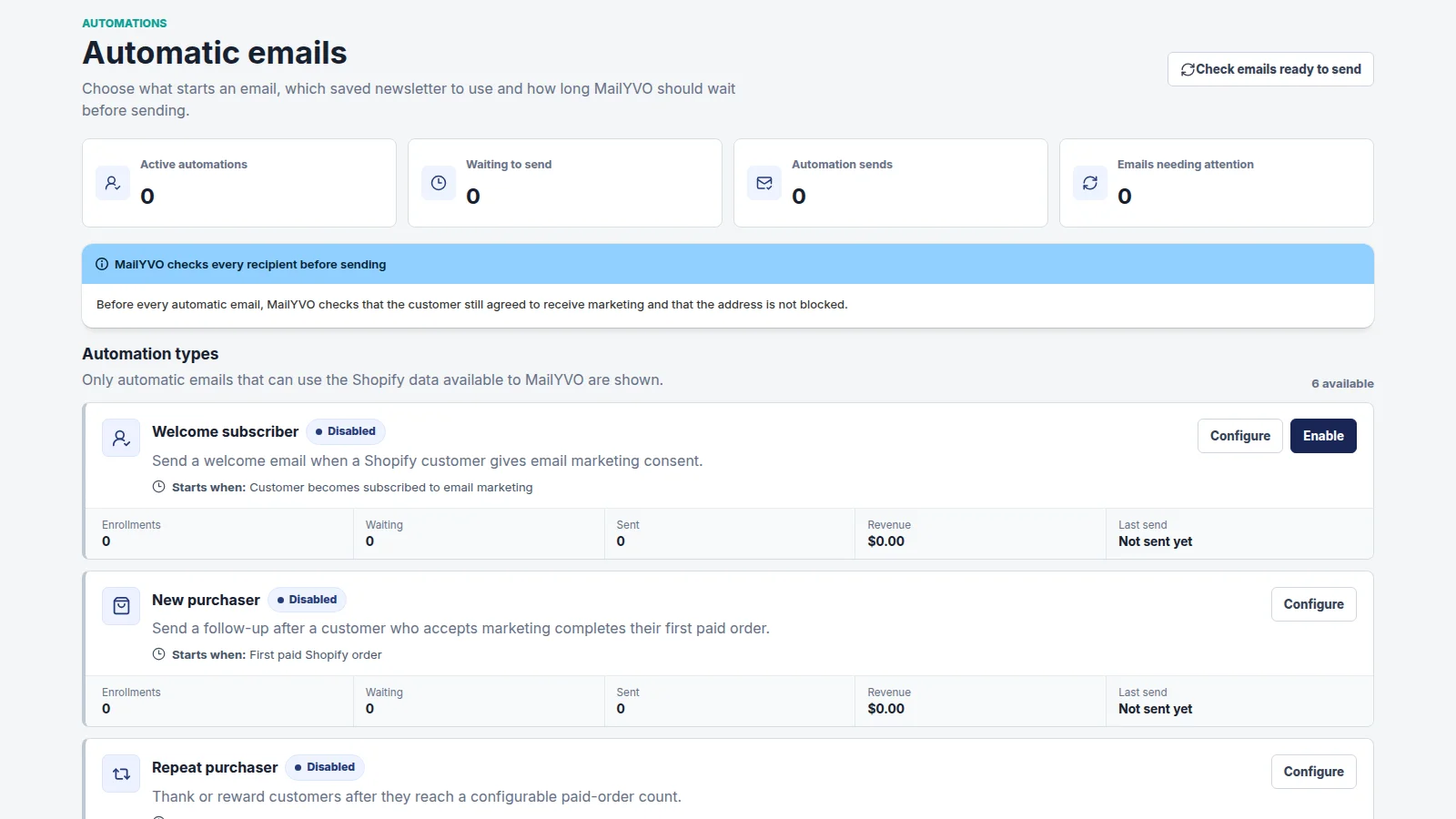
MailYVO supported email automation settings
Actual MailYVO interface. Example store and content shown for demonstration.

A plan based on subscribers. Sending included.

The first 250 Shopify email subscribers are free. Paid tiers grow with your subscribed audience, rather than the number of emails you send. Newsletters, popups, templates, automations and reporting are included.

Pricing

Questions

Will existing subscribers all receive a welcome email?

A welcome flow reacts to supported subscriber events. It is not a bulk-send command for every historical customer. Use a newsletter audience for a deliberate campaign.

Is MailYVO free to start?

Yes. Up to 250 Shopify email subscribers are included without a billing agreement. A paid tier requires Shopify approval.

Can I send to everyone in Shopify?

Marketing sends require consent, a valid eligible email address and no active suppression. Importing a customer does not grant permission to send marketing.

The essentials, clearly handled.

Shopify customer consent is synchronized. Marketing emails include an unsubscribe path. Customer data is separated by store, sensitive settings are encrypted, and Shopify privacy webhooks are handled. Billing approval stays in Shopify. For help with setup, billing or delivery, email support@mailyvo.com.

support@mailyvo.com · Privacy

Create your first Shopify newsletter.

Start free with a small list, choose a template and build from there.

Start free on Shopify