Skip to content
MailYVO

Send a Shopify newsletter your customers can use

A good newsletter gives a subscribed customer a clear reason to return. You do not need a long message: one useful update, a relevant product selection and a clear next step can be enough. MailYVO helps you compose and send it from Shopify.

Start free on Shopify

Choose a starting point, not a blank page

Pick an editorial, product launch or promotional template. Replace the sample content with your own message. Use a subject that describes the email and preview text that adds useful context. Template examples are starting points, not finished claims about your business.

Use your catalog and check the preview

Add Shopify products or a collection in the visual editor. Reorder reusable sections, check links and review both desktop and mobile layouts. Complete your sender, reply-to and physical business address. The unsubscribe footer remains part of the message.

Choose recipients and timing deliberately

Select eligible subscribers or a relevant segment, inspect the recipient preview and review the final send details. Schedule for the store timezone when useful. Watch delivery and click results before repeating the same promotion. A draft or test email does not count as a completed campaign.
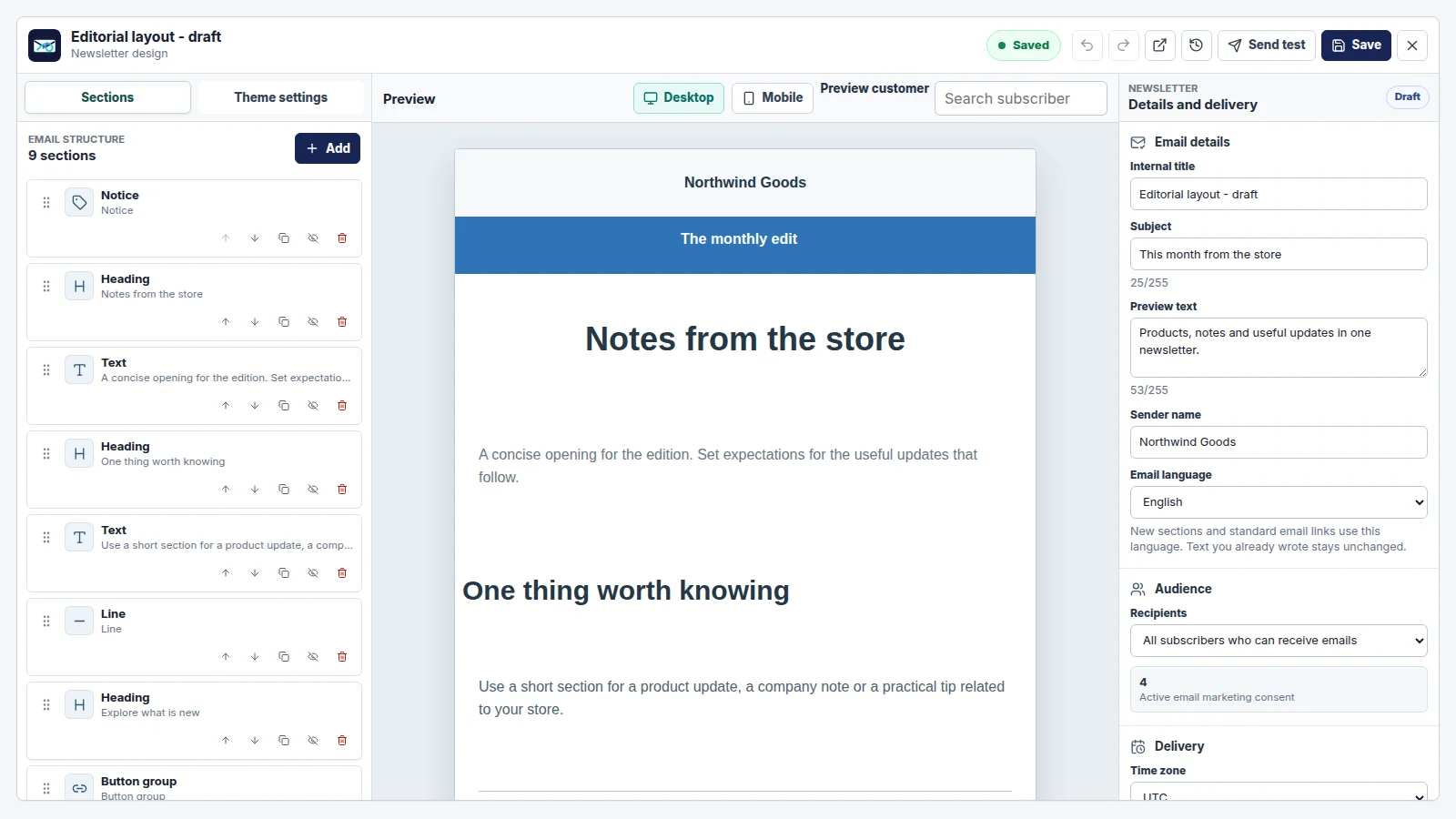
MailYVO newsletter editor with reusable sections, a desktop preview and audience settings
Actual MailYVO interface. Example store and content shown for demonstration.

A plan based on subscribers. Sending included.

The first 250 Shopify email subscribers are free. Paid tiers grow with your subscribed audience, rather than the number of emails you send. Newsletters, popups, templates, automations and reporting are included.

Pricing

Questions

Can I test before sending to customers?

Yes. Use the editor preview and the test-send workflow. The final campaign still needs eligible recipients and valid sender and billing settings.

Is MailYVO free to start?

Yes. Up to 250 Shopify email subscribers are included without a billing agreement. A paid tier requires Shopify approval.

Can I send to everyone in Shopify?

Marketing sends require consent, a valid eligible email address and no active suppression. Importing a customer does not grant permission to send marketing.

The essentials, clearly handled.

Shopify customer consent is synchronized. Marketing emails include an unsubscribe path. Customer data is separated by store, sensitive settings are encrypted, and Shopify privacy webhooks are handled. Billing approval stays in Shopify. For help with setup, billing or delivery, email support@mailyvo.com.

support@mailyvo.com · Privacy

Create your first Shopify newsletter.

Start free with a small list, choose a template and build from there.

Start free on Shopify