
Skip to content
MailYVO

Abandoned-cart email on Shopify: what to check

A customer leaving a cart is different from a customer completing a purchase. Recovery requires a reliable cart or checkout event, a recoverable destination and the right permission to contact that customer. A purchase trigger cannot safely stand in for abandonment.

Start free on Shopify

Check your recovery workflow first

Use Shopify’s available recovery workflow or a tool that explicitly supports the relevant checkout events. Verify which abandoned checkouts qualify, the recovery link, timing and consent rules. Test the message against a real test checkout rather than an order that has already been paid.

Know the present MailYVO scope

MailYVO does not currently send abandoned-cart or checkout-recovery automations. It supports welcome, purchase, fulfillment and lapsed-purchaser follow-ups. A win-back email addresses a customer who previously bought and became inactive; it is not a cart reminder.

Avoid overlapping messages

Keep your recovery message in the system that owns the checkout workflow. Use MailYVO for a distinct newsletter, welcome series or post-purchase message. Review timing across your apps so a customer does not receive several unrelated offers at once.
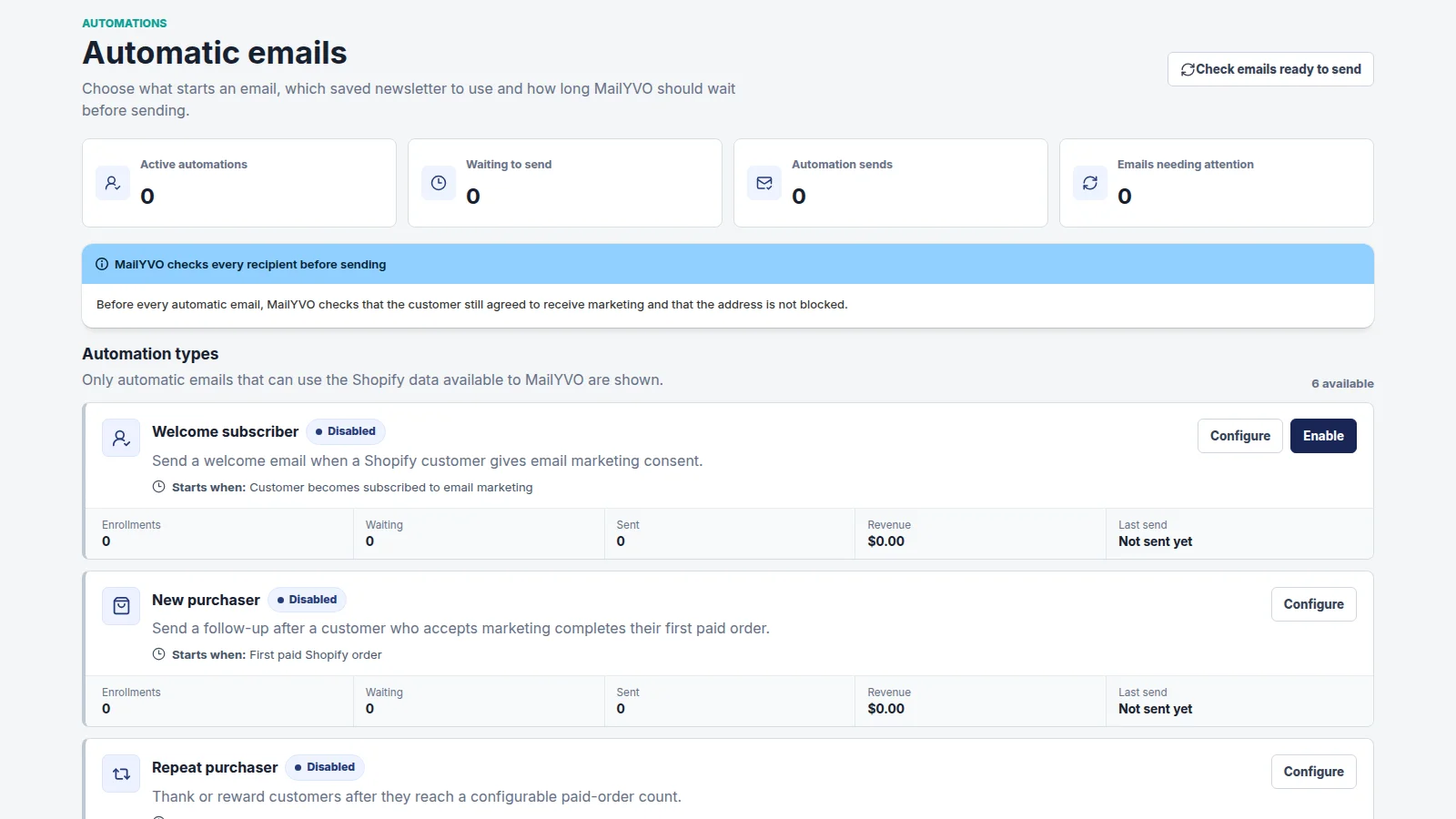
MailYVO supported email automation settings
Actual MailYVO interface. Example store and content shown for demonstration.

A plan based on subscribers. Sending included.

The first 250 Shopify email subscribers are free. Paid tiers grow with your subscribed audience, rather than the number of emails you send. Newsletters, popups, templates, automations and reporting are included.

Pricing

Questions

Can I enable abandoned-cart recovery in MailYVO?

No. The backend does not currently support that trigger. Use a supported Shopify recovery workflow and choose MailYVO for its documented email workflows.

Is MailYVO free to start?

Yes. Up to 250 Shopify email subscribers are included without a billing agreement. A paid tier requires Shopify approval.

Can I send to everyone in Shopify?

Marketing sends require consent, a valid eligible email address and no active suppression. Importing a customer does not grant permission to send marketing.

The essentials, clearly handled.

Shopify customer consent is synchronized. Marketing emails include an unsubscribe path. Customer data is separated by store, sensitive settings are encrypted, and Shopify privacy webhooks are handled. Billing approval stays in Shopify. For help with setup, billing or delivery, email support@mailyvo.com.

support@mailyvo.com · Privacy

Create your first Shopify newsletter.

Start free with a small list, choose a template and build from there.

Start free on Shopify